Baserow Boolean Field Guide: A Checkbox for Yes/No Data
The Baserow Boolean field stores data in a binary true/false format and shows up in the cell as a checkbox: check it to set the value to “true,” or leave it empty for “false.” This article covers what the Boolean field is, when to reach for it instead of Single select, and how to add and use it in a table.
Overview
A Boolean field is a data type that stores information in a binary true/false format. In Baserow, this is represented by a checkbox. You can click the box to set its value to true (checked) or leave it empty to set the value to false (unchecked).
This field is perfect for any data that has only two possible states. Common examples include:
- marking a task as “Done”;
- tracking whether a contact has subscribed to a newsletter;
- flagging an item as “In stock”;
- confirming that a requirement has been met.
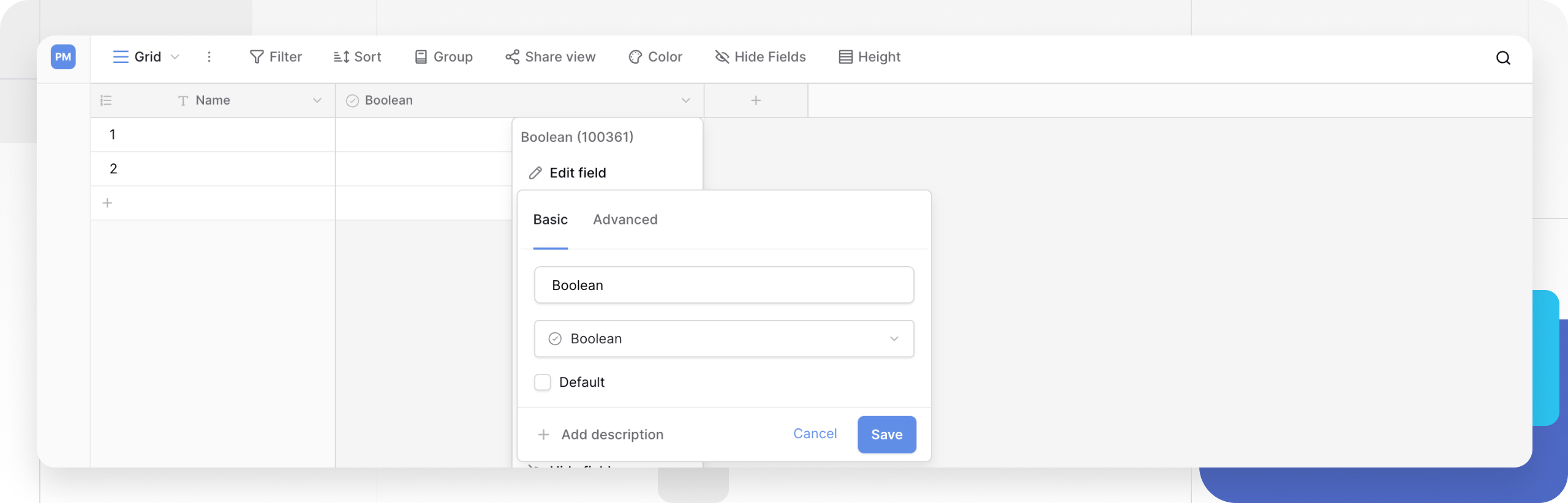
How to add a Boolean field
To add a Boolean field to your table:
- In your table, click the plus sign
+to add a new field . - Search for and select Boolean from the list of field types.
- Name your field (for example, “Done” or “Subscribed”).
- Optional: set a default state - check the Default value box if new rows should be created with this field already checked (
true). - Click Create.
How to use a Boolean field
Once added, you can interact with the Boolean field in two simple ways:
- Mouse: click the checkbox in the cell to toggle it between checked (true) and unchecked (false).
- Keyboard: select a Boolean cell with your arrow keys, then press
SpacebarorEnterto check or uncheck it.
For more on working with field types, see field configuration .
Frequently asked questions
What is a Boolean field used for?
A Boolean field stores any data that has only two opposite states, such as yes/no, true/false, or on/off. In Baserow it shows up as a checkbox, which makes it easy to see and update the status of a row.
How is a Boolean field different from a Single select field?
A Boolean field is for binary data only (true/false). A Single select field is for data that can hold one of several custom options, such as “To do,” “In progress,” or “Done.”
If you only need to track a “yes” or “no” status, the Boolean field is faster and more efficient. If you need more than two states, use a Single select field instead.
Can I filter rows using a Boolean field?
Yes. You can create a view and filter your rows based on the Boolean field. The filter conditions are “is checked” (true) or “is unchecked” (false), which is handy for building views like “Completed tasks” or “Active subscribers.”
Related content
- Baserow field types overview - what other field types are available and when to pick each one.
- Filtering in Baserow - how to build row-selection conditions based on a field’s value.
- Single select field - an alternative to the Boolean field for data with more than two options.
- Rating field - another compact field type for scoring data on a scale.