Last Modified Field in Baserow - Automatic Row Timestamps
The Last modified field is an automatic, read-only field that stamps a row with the exact date and time of its most recent user-made change. This article covers what the field is and how it behaves, how to add it to a table, which actions trigger a timestamp update and which do not, and how to work around that limitation with a lookup and a formula when you need to track changes in linked tables.
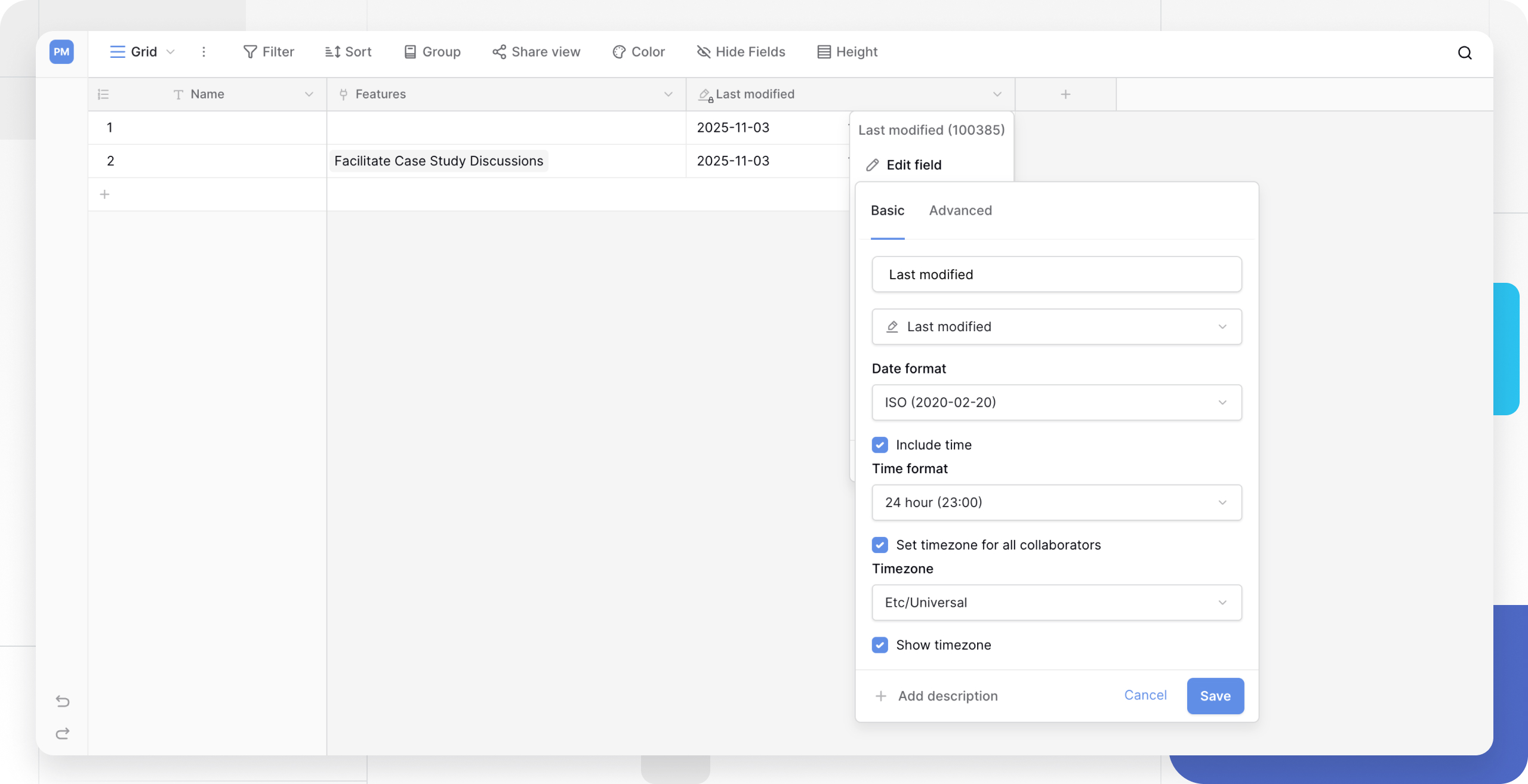
What is the Last modified field
The Last modified field is an automatic, non-editable field that shows the date and time a row was last edited by a user.
When a new row is created , its Last modified value matches its Created on value. This timestamp updates every time a user edits any editable field in that row.
One behavior worth noting: a row’s Last modified value never rolls back. If you edit a cell and then use Undo, the Last modified time reflects the moment of the Undo action, not the time before the edit.
How to add a Last modified field
Add the field
- In your table, add a new field .
- Select Last modified from the field type list.
- Name the field (for example, “Last update”).
- Click Create.
By default, this field tracks changes made to any editable field in the row.
You can restrict the field so that it only shows the most recent time a particular field was modified.
Tracking modification times on computed fields
The Last modified field type and the date functions available in formulas let you track when a record was last edited. It is important to understand, though, that both tools only track direct user actions.
What triggers a Last modified update
- Typing manually into a cell (text, number, and other field types).
- Selecting an option (single select, multiple select).
- Adding or removing a row from a Link to table field.
What does not trigger an update
- Formulas: if a formula recalculates - for example
today()rolls over to the next day, or{Unit Price} * {Quantity}updates - the Last modified field will not change. - Linked data changes: if you modify data inside a linked record (say, a generic Status field in a linked Tasks table), the Last modified timestamp on the current row will not update.
The Last modified field tracks who touched the row and when. Passive changes that Baserow calculates in the background do not count as user edits.
Workaround: tracking changes in linked records
If you need to see the last modified time of a row or any of its linked data, a single Last modified field is not enough on its own. Instead, combine a lookup field with a formula field .
Scenario: you have a Projects table linked to a Tasks table through a link to table field . You want the Project to show as “Updated” whenever a linked Task is modified.
Step 1: track time in the source table
- Go to the linked table (for example, Tasks).
- Create a new field with the type Last modified.
- Name it “Task last modified”.
Step 2: expose that time in your main table
- Go to your main table (for example, Projects).
- Create a lookup field .
- Point it at the Tasks table and select the “Task last modified” field you just created.
- Name this field “Lookup: task modified”.
Step 3: compare the dates with a formula
Create a new formula field in the Projects table to compare the project’s own edit time against the task’s edit time. The formula returns whichever date is more recent.
The formula:
if(
    date_diff('s', field('Last modified'), field('Lookup: Task Modified')) < 0,
    field('Lookup: Task Modified'),
    field('Last modified')
)
How this works:
- The
date_difffunction calculates the difference in seconds between the local edit and the linked edit. - The
ifstatement checks which date is more recent. - The formula displays whichever date is newest, giving you a true last-modified timestamp.
Frequently asked questions
What’s the difference between Last modified and Last modified by? They work together: Last modified tells you when the last edit happened (the date and time), while Last modified by tells you who made the last edit.
What’s the difference between Last modified and Created on? Created on is set once when the row is created and never changes. Last modified updates every time the row is edited.
Do formula fields or other computed fields trigger an update? No. The Last modified field tracks changes made directly by a user. It does not track automatic changes in computed fields such as formulas , lookups , or rollups that update because their underlying data changed.
Does a Link to table field trigger an update? This is a special case. If you add or remove a link from a link to table field , that counts as a user edit and will trigger an update. If the data inside the linked row changes instead - for example, the linked record’s name is edited in its own table - that does not count as an edit to the current row and will not trigger an update.
What’s next
To see who made the last edit rather than just when it happened, read Last Modified By Field . To understand every date field type and how timezones affect the values you see, check Baserow Date Field and Working with Timezones .