Baserow Rating Field - Star Scores for Rows and Records
The Rating field turns a cell into a visual scale of up to 10 symbols - stars, hearts, flags, or thumbs-up icons - that a person sets with a mouse click or a keyboard digit instead of typing a number. This article covers adding the field, setting and clearing a score, the styling options available, and how a Rating field differs from a plain number field .
Overview
The Rating field lets you assign a visual rating to a row, typically using symbols like stars, hearts, or checkmarks. This field suits tasks that call for a quick visual assessment, such as ranking sales leads, scoring project priority, or gathering feedback. You can configure the maximum rating anywhere from 1 to 10 symbols.
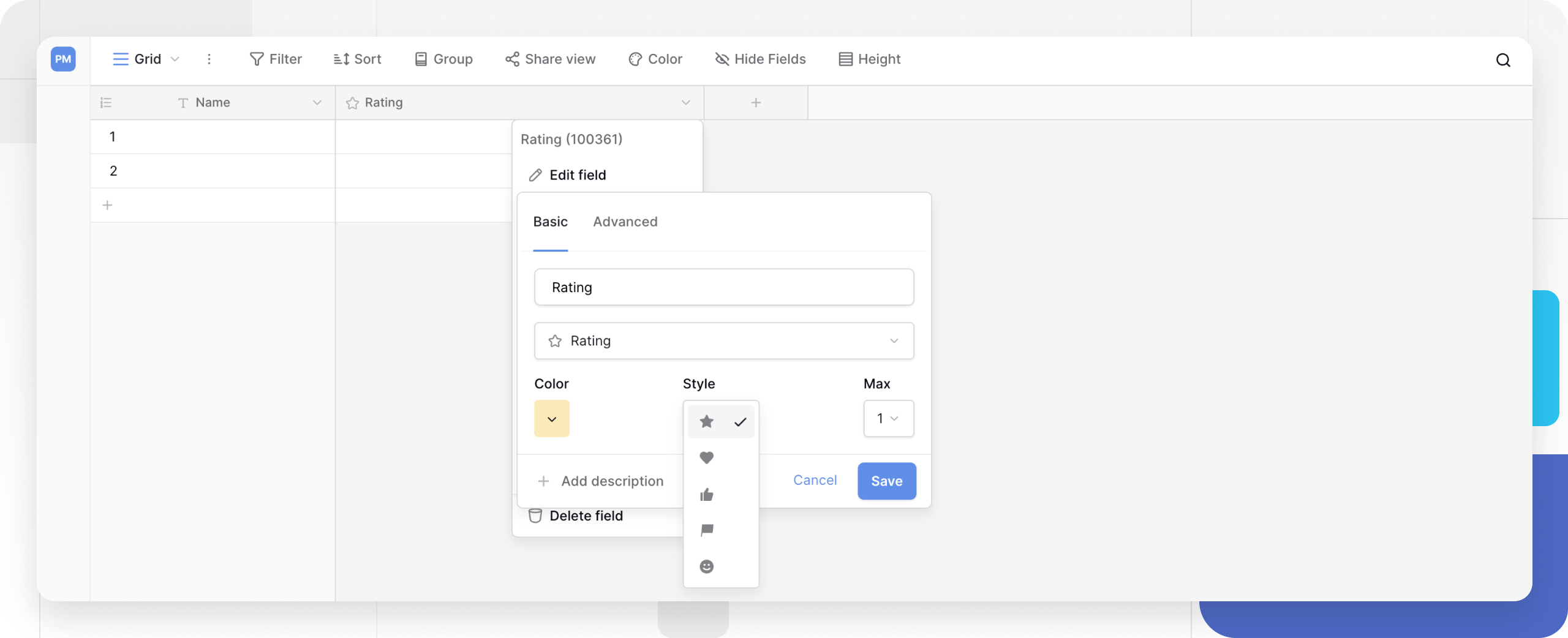
How to add a Rating field
To create a Rating field:
- Click the plus sign
+in your table to add a new field. - Search for and select the Rating field type.
- Name the field (for example, “Priority” or “Review Score”).
- Configure the initial settings:
- Style: select the symbol (star, heart, thumbs-up, flag, and others);
- Color: choose the symbol color;
- Max value: set the highest possible rating (1 to 10).
- Click Create.
How to set a rating
You can enter a rating in several ways:
- Mouse: hover and click the symbol you want;
- Keyboard: type a number (for example,
3) to assign that rating; - Clear: click the symbols again, or press
Backspace/Delete.
Customize the Rating field
Double-click the field header, or select Edit field , to change:
- Style: switch the symbol type;
- Color: adjust the symbol color;
- Max value: change the maximum rating (1 to 10).
Frequently asked questions
Can I use the Rating field in a formula? Yes - a 4-star rating is treated as the number 4, so you can run calculations with it inside a formula field
.
What’s the difference between a Rating field and a Number field? The Rating field is designed for quick visual assessment, while a number field stores arbitrary numeric data for mathematical input.
Can I set a half-star or a decimal rating? No, the Rating field only supports whole numbers. Use a number field instead if you need decimal scores.
What’s next
Once you’re comfortable scoring rows with the Rating field, check the Baserow field types overview to compare it against neighboring field types, or move on to the boolean field to mark simple yes/no statuses.