Baserow Formula Field Overview - No-Code Calculations
A formula field lets you build dynamic calculations and text transformations without manual data entry - whether you are totaling values, formatting dates, or combining information from several fields, a formula makes the database smarter and cuts out repetitive work. This article covers what a formula field is, how a formula, a function, and an expression relate to one another, and how to create your first computed field.
What is a formula field
A formula field automatically calculates a value from other fields in the table. The result updates in real time whenever the source data changes, which makes formulas a good fit for totals, averages, date calculations, text formatting, and conditional logic.
The formula field ships with the free version of Baserow and works with every field type . A formula can reference fields in the same table or fields on a linked table through a lookup field .
Formula, function, and expression
Before writing formulas, it helps to understand three related but distinct concepts.
Formula: a complete set of instructions that performs a calculation or transforms data. A formula combines functions, operators, and field references to produce a result.
Example: field('Current Quantity') * field('Cost') calculates a total price by multiplying two fields.
Function: a predefined operation that takes inputs and returns a result. Baserow ships with mathematical, logical, text, and date/time functions.
Example: length(field('Product Name')) returns the character count of a text field.
Expression: a combination of values, operators, and functions that evaluates to a single result. Expressions are the building blocks of formulas.
Example: field('Current Quantity') * field('Cost') is an expression that uses field references and the multiplication operator.
How to create a formula field
- In your table, click the plus sign
+to add a new field. - Select the Formula field type.
- Enter your formula in the editor using operators, functions, and field references.
- Test the formula against sample data.
- Save the field once the result is correct.
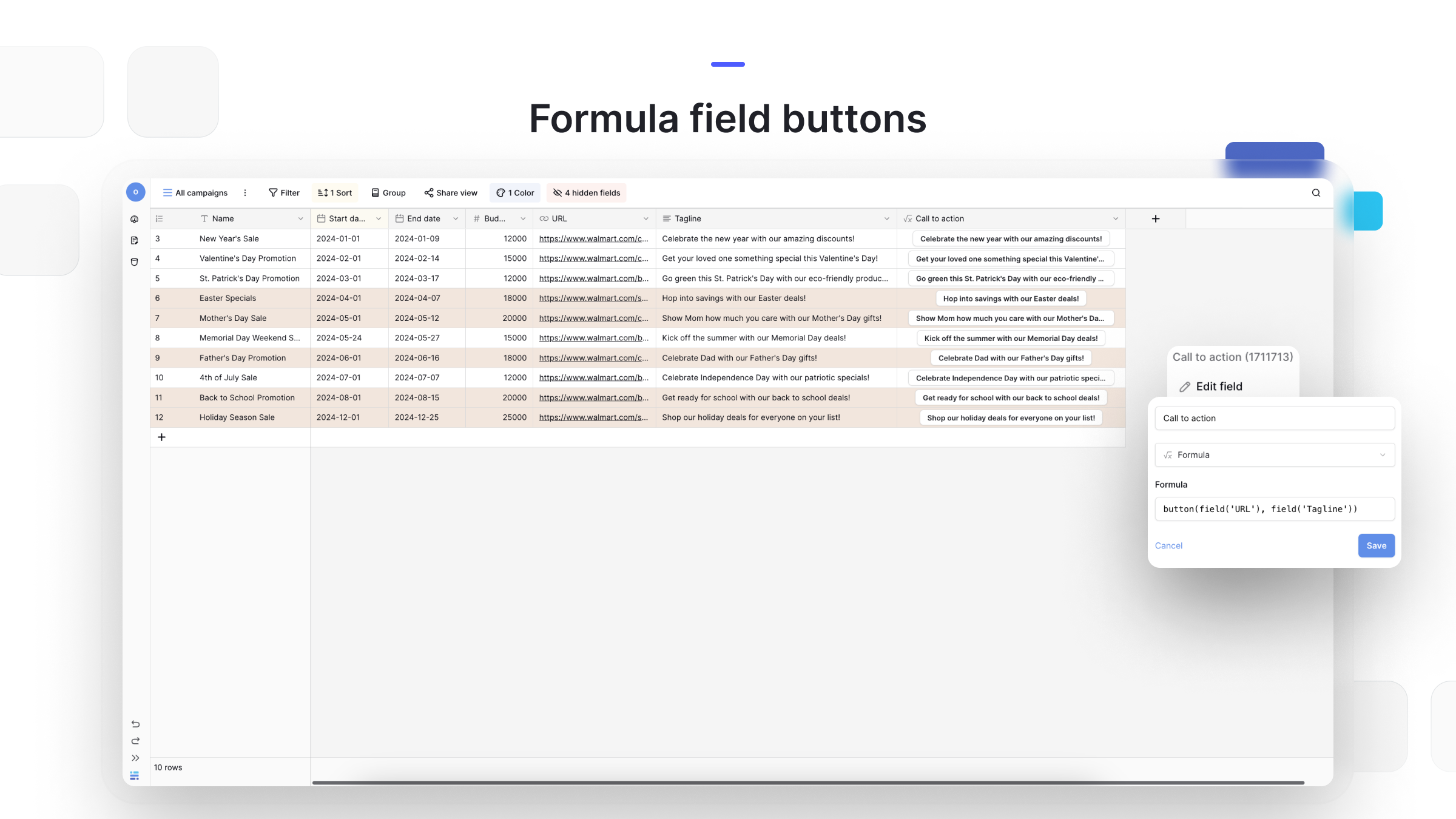
What a formula is built from
Functions
- SUM() - adds numbers together;
- IF() - builds conditional logic;
- CONCAT() - joins text strings;
- DATETIME_FORMAT() - formats dates and times;
- AVERAGE() - calculates a mean value.
Operators
- Arithmetic:
+,-,*,/; - Comparison:
=,<=,>=,<,>; - Logical:
AND,OR,NOT.
Field references
Use field('field_name') to reference any field in the table. Field names are case-sensitive and must match exactly.
Frequently asked questions
Can I edit individual cells in a formula field? No. A formula field is calculated automatically for the whole column, and every cell shows the result of applying the formula to that row’s data. If you need to edit specific values, convert the formula field to a regular field type first - the calculated values are preserved as static data.
What happens if I delete a field a formula references? The formula field shows an error because the reference no longer exists. To fix it, you can restore the deleted field from the trash, create a new field with the exact same name, edit the formula to remove the reference, or rename another field to match the deleted field’s name.
Can formulas reference fields from other tables? Yes. Use link-to-table fields to connect two tables, then pull the linked field into your formula through a lookup field. That lets a calculation draw on data from related records.
Do formulas update automatically when the source data changes? Yes. A formula field recalculates instantly whenever any field it references changes value, which is useful for reports and metrics that always need to reflect current data.
What is the difference between a formula field and a function? A formula field is a column type that holds a formula. A function is a specific operation you use inside a formula, such as SUM() or IF(). Functions are the tools, and a formula is the complete instruction set that puts those tools to work.
For the complete list of available functions and formula syntax, see Understanding Baserow Formulas .
What’s next
Now that you know what a formula field is and what it is built from, move on to Understanding Baserow Formulas to work through the full function syntax, or check the field types overview to see how a formula field compares with other computed fields.