Baserow OttoKit (SureTriggers) Integration via API
OttoKit - the automation platform previously known as SureTriggers - plugs into open-source Baserow through a plain webhook and the REST API, with no premium add-on and no dedicated paid gateway, and can fire a workflow in more than 600 external apps whenever a Baserow row is created, updated, or deleted.
What the Baserow OttoKit integration does
OttoKit is an automation platform that connects Baserow to hundreds of popular apps and services. The integration lets you build automated workflows that trigger on changes inside a Baserow database.
With this integration you can:
- automatically sync data between Baserow and other apps;
- trigger notifications when database changes occur;
- chain multi-step workflows that save hours of manual work;
- build complex automations without writing any code.
Prerequisites
- A Baserow account and workspace.
- An OttoKit account with permission to create workflows.
- Familiarity with Baserow’s core building blocks: tables, fields, rows.
- API access to the Baserow workspace.
Supported triggers and actions
Triggers
- Row Created - fires when a new row appears.
- Row Updated - fires when a row is edited.
- Row Deleted - fires when a row is removed.
As an alternative, use OttoKit’s Webhook app, which fires whenever the webhook receives data.
Actions
- Create Row - creates a new row.
- Update Row - updates an existing row.
- Delete Row - deletes an existing row.
- List Rows - finds a page of rows in a given table.
- Fetch Row - finds a single row in a given table.
- Custom API Request - sends a custom request to the Baserow API .
Setting Up the Baserow Trigger in OttoKit
Create a workflow in OttoKit. A trigger is the event that starts the workflow and automates the process around it.
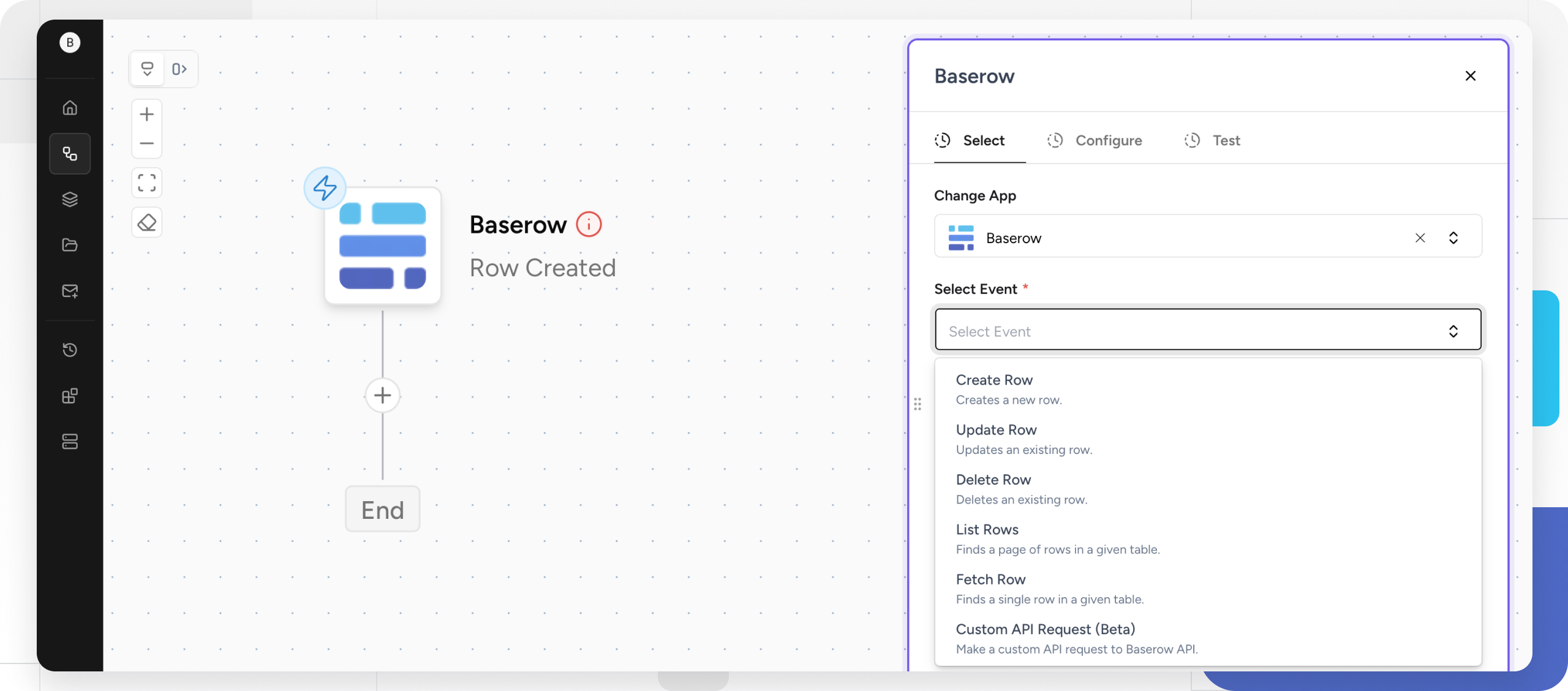
Pick Baserow as the trigger app
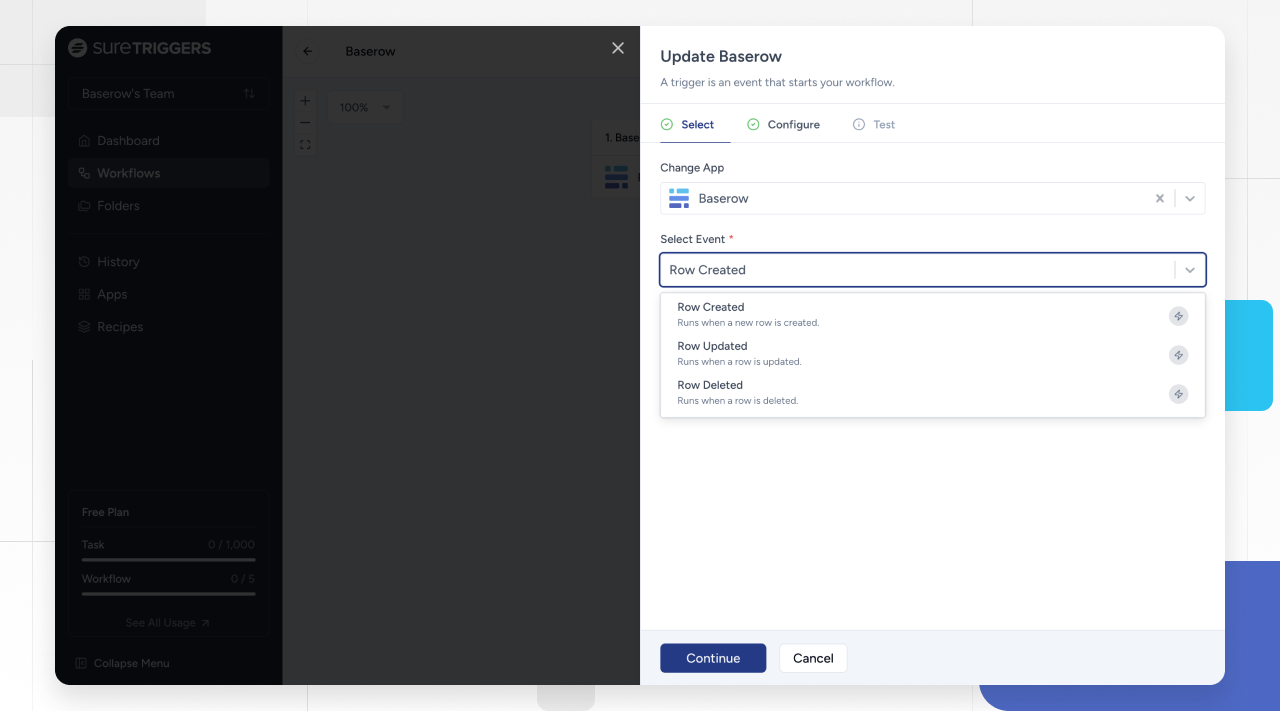
Browse the available apps and choose Baserow as the trigger app - it becomes the starting point of the automated process. Then choose the specific Baserow event that should kick off the workflow: a new row, an update, or a deletion.
For more on creating a webhook in Baserow, see Webhooks .
Configure the trigger
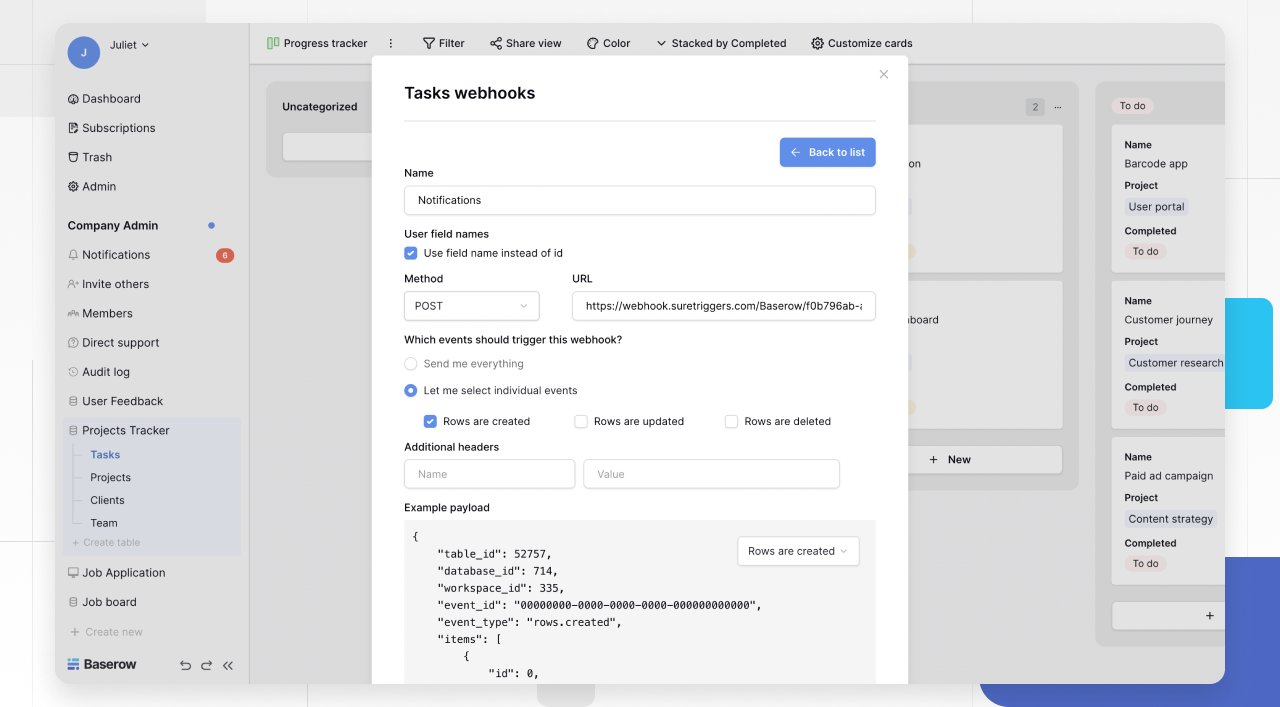
Add the webhook URL to Baserow’s settings so the table sends notifications to outside apps. In the Method dropdown, select POST.
A typo or mistake in the URL will stop Baserow from reaching the other application - double-check the address before saving the webhook configuration.
Choose which events should fire the webhook. For example, to fire it whenever a row is added, check “Rows are created.”
Test the setup with the Trigger test webhook button in Baserow - it sends a sample payload to the configured URL and displays the response it gets back.
Save and test the workflow
After the trigger is set, OttoKit walks through defining the actions that follow: sending data to another app, running a calculation, or raising a notification.
Once the trigger and its actions are configured, save the workflow and run a test to confirm it behaves as expected - Baserow should kick off the workflow whenever the chosen event happens.
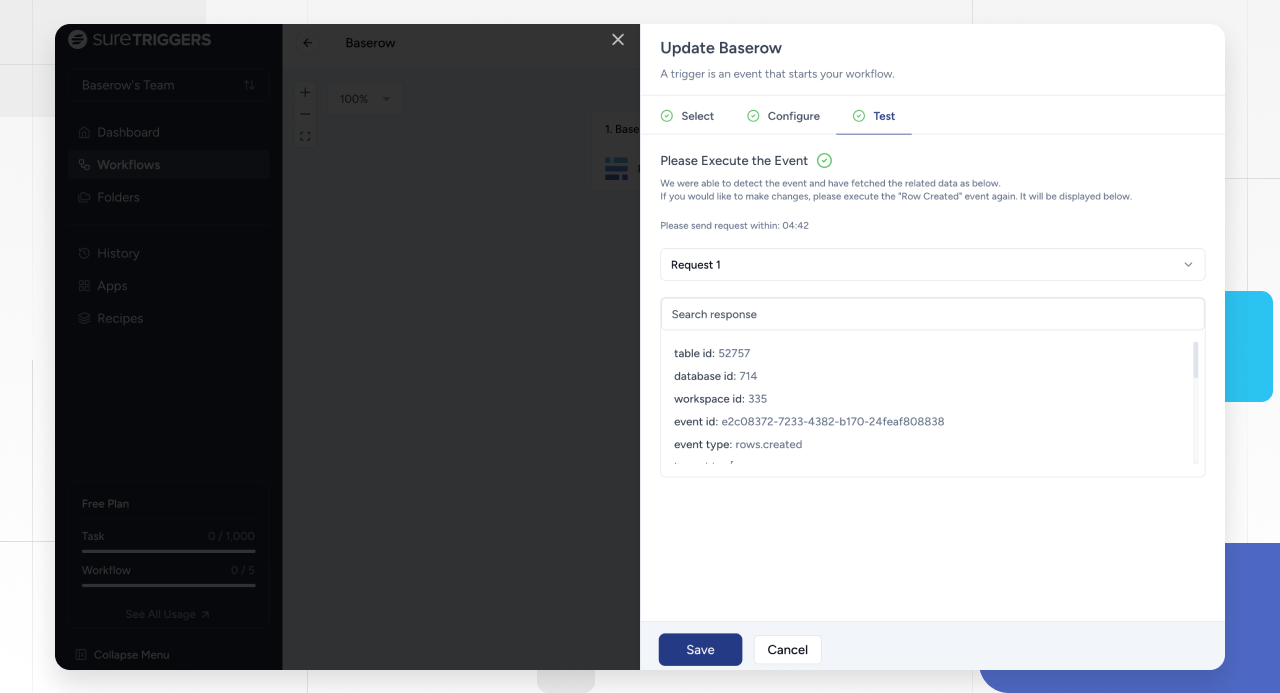
From that point on, Baserow notifies the connected apps every time one of the configured events occurs in the table.
Common Automation Scenarios
Sales and CRM
- New lead to CRM. A form submission creates a row in Baserow -> a contact is created in HubSpot or Salesforce.
- Deal tracking. A deal’s status changes in Baserow -> the CRM pipeline updates and the sales team gets notified.
Project management
- Task creation. A new row appears in the project table -> a task is created in Asana, Trello, or Monday.com.
- Status updates. A status field changes -> the team gets a Slack notification.
E-commerce
- Order processing. A new order row appears -> a confirmation email goes out and a shipping label is created.
- Inventory sync. A stock level changes -> WooCommerce or Shopify inventory is updated.
Marketing
- Email campaigns. A new subscriber row appears -> the contact is added to a Mailchimp list and a welcome email goes out.
- Content calendar. A publish date arrives -> the post goes live on social media.
Frequently Asked Questions
Can I generate a database token in Baserow? Yes - Baserow database tokens work much like login credentials but add extra flexibility and security around access. Keep any token secret and never share it.
Can I filter which rows trigger my workflows? Yes - when adding the webhook URL to Baserow, you choose exactly which events should trigger the workflow. See Webhooks for the details.
How fast do triggers fire? OttoKit checks for new triggers roughly every one to fifteen minutes; the exact interval depends on the OttoKit plan in use.
Troubleshooting Common Issues
| Issue | Solution |
|---|---|
| Connection fails | Regenerate the API token and confirm it has the right permissions |
| Workflows don’t trigger | Check the filter conditions and confirm table and field names match exactly |
| Actions are missing data | Verify field mappings and that data types line up |
| Rate limit errors | Switch to a higher OttoKit plan or add delays between actions |
| Duplicate entries | Add deduplication logic using OttoKit’s filter conditions |
Related Reading
- Webhooks - how real-time event notifications work.
- Database API - what the Baserow REST API can do.
- Zapier integration - an alternative automation platform.
- Make integration - visual automation scenarios.
- n8n integration - self-hosted workflow automation.
Next up: Power BI integration , covering how to build reports on top of Baserow data.