Baserow and ToolJet Integration - Build Apps on Your Data
ToolJet is an open-source low-code platform for building internal apps and admin panels, and it talks to Baserow through the plain REST API and a database (API) token, so forms, tables, and CRUD queries against Baserow data come together visually - no server code and no Premium features required.
Why Connect ToolJet to Baserow
ToolJet speeds up internal tooling: data-entry forms, ticket status screens, lightweight CRMs, and tracking systems come together in hours instead of weeks, because queries against Baserow are configured in a visual editor rather than hand-written. The connection follows the same pattern as Baserow’s other integrations: a database (API) token unlocks the REST API, and ToolJet talks to tables using ordinary HTTP requests.
Prerequisites
- A Baserow account (cloud or self-hosted).
- A ToolJet Cloud account or a local ToolJet installation.
- A Baserow database (API) token with access to the target database.
- The table IDs you plan to work with.
Supported Operations
ToolJet provides full CRUD (Create, Read, Update, Delete) functionality for Baserow tables:
| Operation | What it does | Common use case |
|---|---|---|
| List fields | Retrieves all field names and types from a table | Dynamic forms, data schema checks |
| List rows | Retrieves table rows with optional filters | Populating tables, building reports |
| Get row | Retrieves a specific row by ID | Detailed record views, edit forms |
| Create row | Adds a new row to a table | Submitting forms, adding records |
| Update row | Modifies an existing row | Editing records, changing statuses |
| Move row | Changes a row’s position in the table | Reordering tasks, adjusting priority |
| Delete row | Removes a row from a table | Archiving records, cleaning up data |
Required Parameters
- Table ID - found in the Baserow REST API reference for the target database.
- Row ID - the unique identifier of a row .
- Before ID (Move row only) - the ID of the row to insert before; leave empty to move to the end.
- Records - field values as JSON (for Create row and Update row).
How to Connect Baserow to ToolJet
Step 1: Add Baserow as a Data Source
- In ToolJet’s app builder, open the Data sources tab in the left sidebar.
- Search for Baserow in the data source modal and select it.
- Choose an environment - Development, Staging, or Production.
- Paste in a Baserow database (API) token .
- Select your Baserow deployment type:
- Baserow Cloud - for an account hosted at baserow.io.
- Self-Host - enter your instance’s base URL (for example,
https://api.yourcompany.com).
- Click Save to store the connection.
ToolJet encrypts sensitive fields, including the API token, before storing them in its own database.
Step 2: Create Queries Against Baserow
A query performs one operation - listing rows, creating a row, and so on:
- In the query editor panel, click the + icon and select the saved Baserow data source.
- Choose an operation from the dropdown and fill in the parameters it needs (Table ID, Row ID, and so on).
- Click Run to test the query and review the response in the preview panel.
- Bind the query result to a table, form, or chart component; trigger the query on a button click or form submission.
Common Query Examples
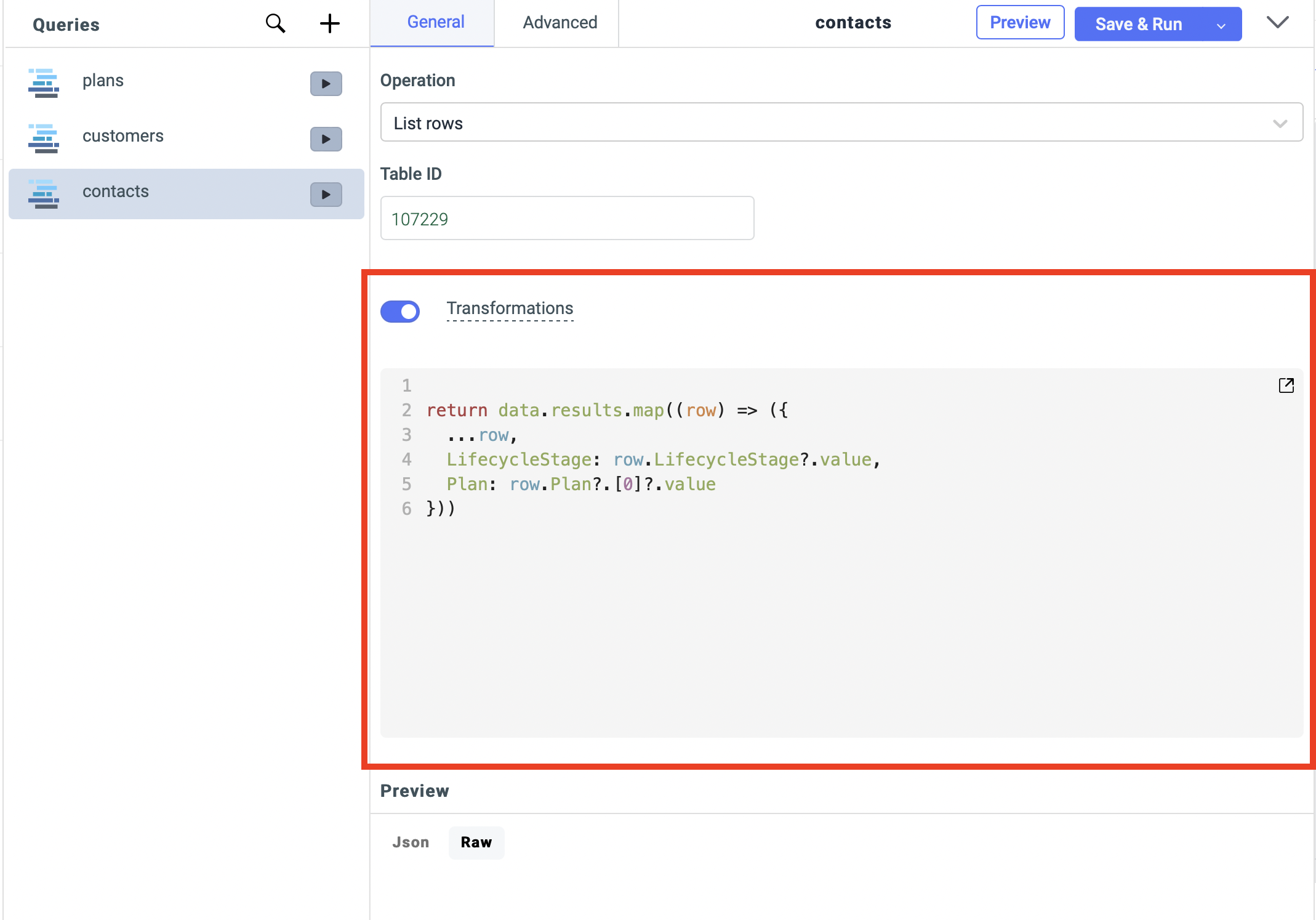
List All Rows From a Table
The List rows operation with a table ID and, optionally, filter or sort parameters - useful for populating tables and dropdown lists in the interface.
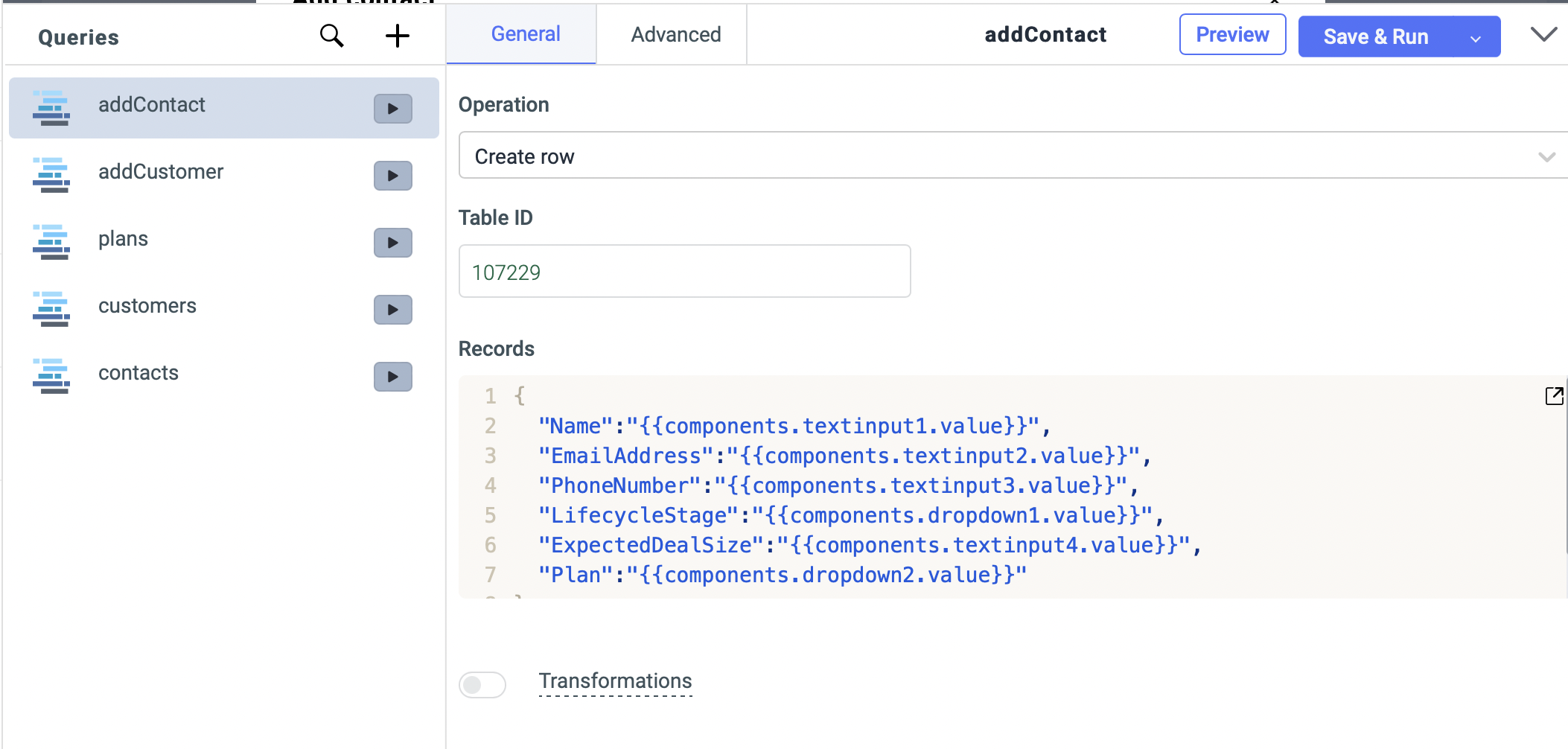
Create a New Record From a Form
The Create row operation with a target table ID; record field values are mapped from form fields using a binding like {{ components.form1.data }}, so the form saves data straight into Baserow.
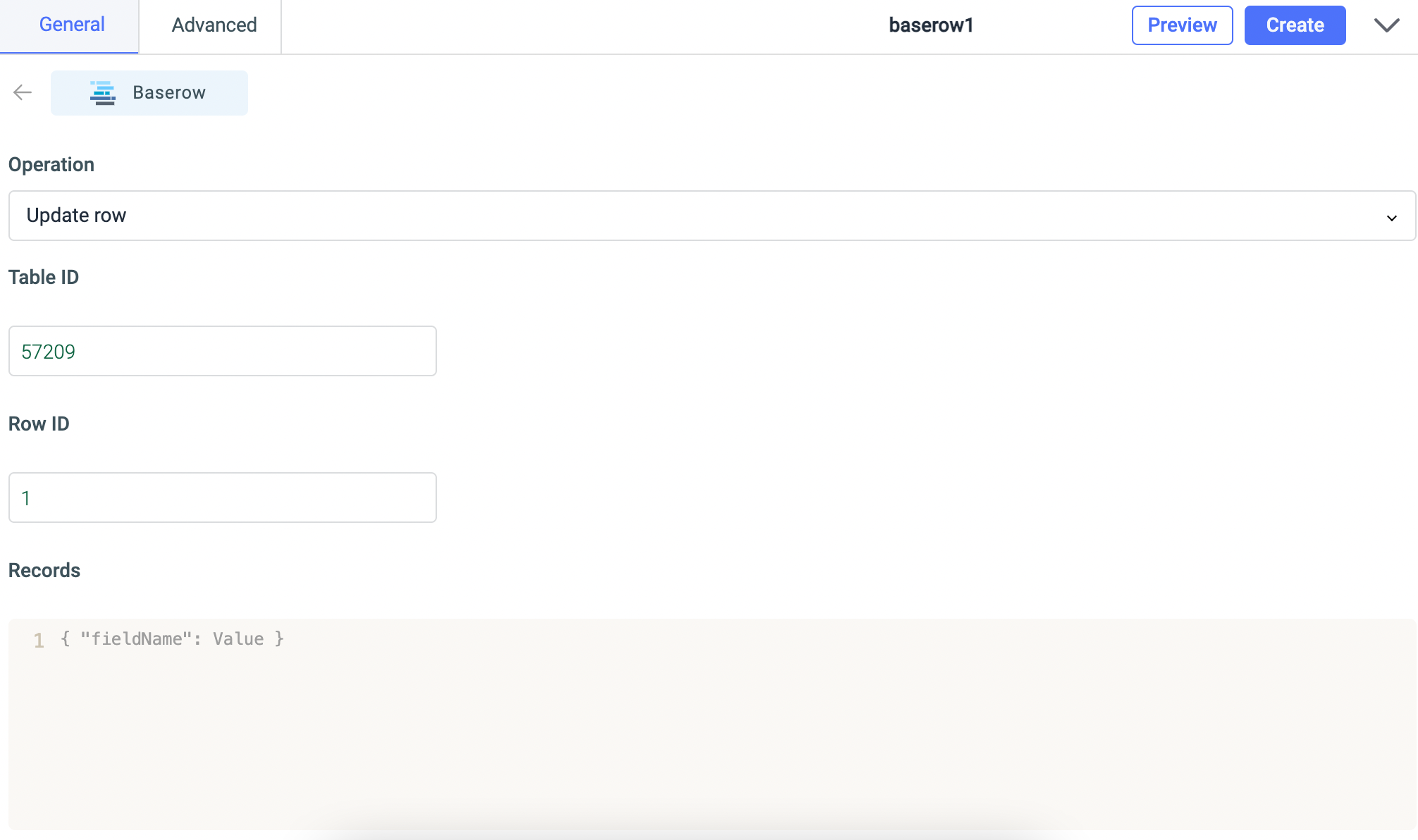
Update a Record Based on User Input
The Update row operation with a table ID and a row ID such as {{ table1.selectedRow.id }}; the Records payload only needs to include the fields that should change.
Delete Selected Records
The Delete row operation with a table ID and a row ID such as {{ table1.selectedRow.id }} - typically wired to a delete button with a confirmation step.
Use Cases
- Sales CRM - track contacts, deals, and activity history on top of Baserow data, connected to email services and calendars.
- Support ticket screen - a helpdesk interface where staff view, assign, and resolve tickets stored in Baserow.
- Inventory tracking - monitor stock levels, process orders, and manage suppliers, connected to external shipping and payment APIs.
- Internal reporting screens - surface key metrics from several Baserow tables as charts and filters for the team.
- Project tracker - task boards, milestone schedules, and resource allocation built on Baserow tables.
Frequently Asked Questions
How is ToolJet different from Baserow’s other integrations? ToolJet builds visual applications with a user interface, while n8n or Zapier automate background processes with no interface at all. Reach for ToolJet when building forms and internal screens, and for automation platforms when a task should run unattended in the background.
Can I connect several Baserow databases in one ToolJet app? Yes. Add multiple Baserow data sources with different database tokens to reach different workspaces or accounts - each source shows up as a separate option when creating a query.
Do I need coding skills to use ToolJet with Baserow? No, though a basic grasp of how queries work helps. Most tasks are handled through the visual interface; simple JavaScript is only needed for more involved data transformations.
How do I find the Table ID for a ToolJet query? Open the Baserow database, click the three-dot menu, and select the entry for the REST API reference
- it lists the table IDs
, field names, and data structures. Each table has a unique numeric ID, such as 12345.
How secure is Baserow data when using ToolJet? ToolJet encrypts API tokens before storing them, and data transfers run over HTTPS. For maximum privacy, run self-hosted versions of both Baserow and ToolJet within your own infrastructure.
Related Resources
The connection token works the same way it does for Baserow’s other integrations - see database (API) tokens and the Baserow REST API overview . If what you actually need is unattended background automation rather than a visual app, look at the n8n , Make , or Zapier integrations instead.