Baserow Tables - Rows, Fields, and Views Explained
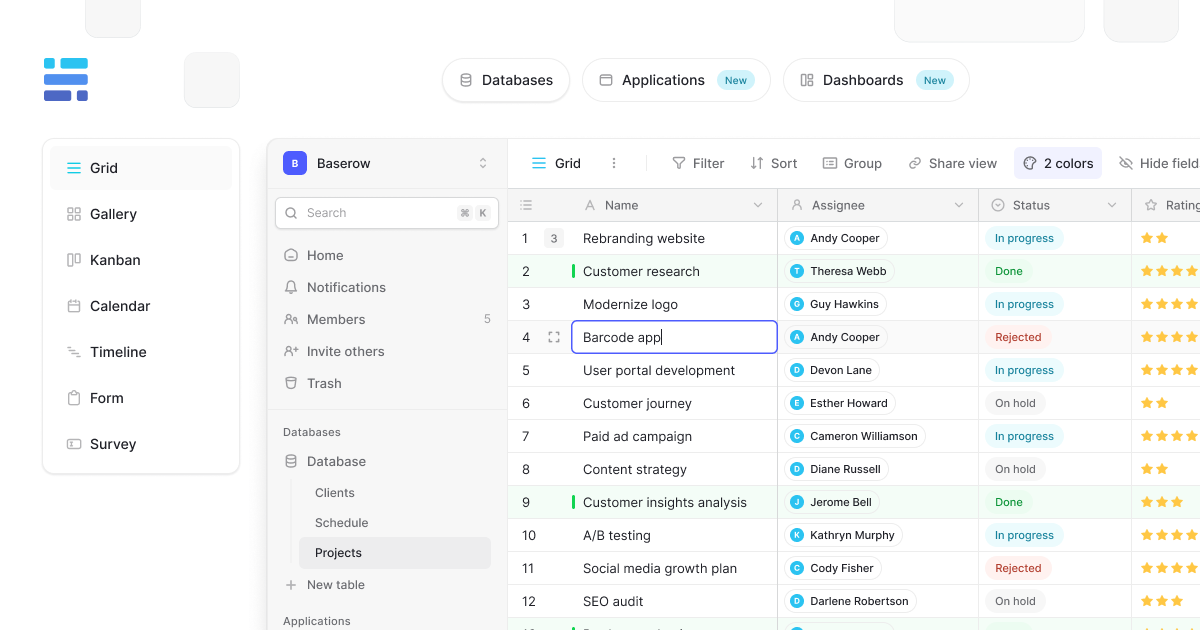
A table is where data lives in Baserow: it stores rows and fields, combining spreadsheet familiarity with database power, and the same data can be shown through several views at once - a grid list, a gallery of cards, or a form that collects responses.
Overview
A Baserow table stores and organizes data as rows (records) and fields (columns). Like a spreadsheet, it supports sorting, filtering, and aggregation, but it goes further - the same table can be opened through multiple views at the same time without duplicating data. Tables live inside databases, and databases live inside workspaces, giving a clear hierarchy for organizing projects; see What Is a Database for that level of the hierarchy.
What Sets Baserow Tables Apart from Spreadsheets
| Capability | Traditional spreadsheet | Baserow table |
|---|---|---|
| Data organization | One view per sheet | Multiple views per table |
| Field types | Generic text and numbers | 25+ specialized field types |
| Relationships | Manual lookup formulas | Built-in table linking |
| Collaboration | File version conflicts | Real-time co-editing |
| Data validation | Basic rules | Field-specific validation |
How Tables Are Structured
Data sits at nested levels: a workspace groups databases, a database is a set of tables covering one subject area, and a table itself stores rows and fields:
- row (record) - a single entry, such as a customer, an order, or a task;
- field (column) - a category of information: name, date, status, and more;
- view - a way to visualize and work with the same underlying data;
- filters and sorts - control which data shows and in what order.
To connect records across tables, use a link-to-table field - for example, to tie orders to customers or tasks to projects. See Baserow Field Overview for the full list of available field types.
Same Data, Different Views
The same table can be displayed several ways without duplicating information:
- grid view - a classic spreadsheet layout for detailed editing;
- gallery view - visual cards suited to images and media;
- form view - collect data from people outside the table.
Common Use Cases
Baserow tables work equally well for CRM and sales pipelines, project and task management, inventory tracking, and HR workflows, as well as team check-ins and product roadmap planning. Start from a blank table or from a ready template - see From a Template for the details.
What You Can Do with Tables
- create an unlimited number of rows and fields;
- import data from CSV, Excel, JSON, or XML ;
- export data for backups or external use;
- bulk-edit several rows at once;
- sort by any field and filter with complex conditions;
- group rows into categories;
- choose from 25+ field types : text, numbers, dates, files, formulas.
Frequently Asked Questions
What is the difference between a database and a table? A database is a container holding several related tables - for example, a “Sales” database might hold “Customers,” “Orders,” and “Products” tables. A table stores the actual data.
How many tables can I create in a database? There is no hard limit, but for usability and performance most databases work best with 5-15 tables.
Can I link data between tables? Yes - this is one of Baserow’s core capabilities. A link-to-table field creates relationships between tables, such as linking orders to customers.
How are tables different from views? A table stores the actual data, while a view is a way to display it with a specific set of filters, sorts, or a visualization; one table can have several views.
Can I turn a spreadsheet into a Baserow table? Yes, CSV and Excel files import directly, with column types detected automatically - see Create a Table via Import for the walkthrough.
Next, read Create a Table to learn how to build one from scratch, by duplication, or by importing a file.